
One missed phone call can change everything.
When it comes to seniors suffering from dementia or Alzheimer’s, the complicated smartphone could cause more problems than anything else. From tiny icons to forgotten passwords, seniors might find that answering a phone call could be quite a task.
However, the best phones for seniors with dementia are those that are easy to use, safe, and convenient. With features such as large keys, speaker phone, emergency features, and GPS locating, seniors have the ability to stay connected and provide their families with peace of mind.
In this article, we will discuss what the best cell phone for seniors with dementia is and what features to consider.
Why Choosing the Right Phone Matters More Than Ever
Dementia gradually affects memory, reasoning, communication, and problem-solving abilities. Things that used to come naturally and effortlessly before, like picking up the phone when it rings, opening a locked screen, and dialing a known number, can suddenly feel challenging.
Families tend to make the common mistake of choosing the latest model of a smartphone, thinking newer is better.
Truth be told, newer usually means more complicated and confusing.
A good dementia phone is not supposed to increase your cognitive load, but rather help you decrease it.
Every additional function, feature, or setting on the phone means one more potential source of frustration.
Good dementia phones become not just a way of communicating anymore.
They become:
- Emergency contact in case of need
- Connection to loved ones
- Reminder
- Navigation
- Self-confidence
- Way to preserve independence
Instead of making daily life more difficult, the right dementia phone should quietly support everyday routines.
Understanding the Challenges Seniors With Dementia Face
Before choosing a phone, it is crucial to know the reasons why old-fashioned smartphones are hard to use.
Memory Problems
Many seniors cannot remember passwords, PINs, or even how to unlock their smartphones. Failed attempts will eventually lock their phones.
Face ID and fingerprint sensors could also be an issue if a senior has forgotten how to use them.
Visual Changes
Besides that, many seniors have problems with:
- Poor vision
- Cataract
- Glaucoma
- Color differentiation
Small icons and font are just a barrier for seniors.
Reduced Dexterity
Arthritis and trembling of hands make it impossible to tap accurately on something. Tiny screens cause mistakes when using smartphones.
It is much easier to use physical buttons or a bigger touch area.
Hearing Difficulties
Missed calls are caused by the fact that:
- The ringtones are too quiet.
- The speakerphone is not loud enough.
- The voice on the call is hard to hear.
Amplified phones make communication easier.
Technology Anxiety
Moreover, many seniors find modern technology scary. Too many options scare them, and they simply stop using the device.
Simple works best.
What Makes the Best Phones for Seniors With Dementia?
Not every senior needs the same type of phone.
Elders suffering from dementia in the early stages will be comfortable with the most basic smartphone.
While those at an advanced stage can get by with an ultra-basic phone that has all the necessary functions.
Below are the features that really matter.
Large, Easy-to-Read Display
Seniors will benefit from having a large screen on their phones because they can:
- Text messages are easier to read
- Identify the contacts
- Access the menu
- See the callers
Having bright screens with adjustable font sizes will definitely help here.
Simple Navigation
A complicated OS leads to complications.
The best Alzheimer’s phone must have:
- Basic menu options
- Big icons
- Basic settings
- Direct dialing option
If you have to press many buttons to answer the phone calls, the phone is complicated.
Photo Contacts
Pictures are easier to identify than names. Most seniors can remember faces while struggling with names.
Photo contacts with big images will let them just press the picture to initiate a call.
One-Touch Emergency Calling
This is a must-have for every Alzheimer’s phone.
Emergency buttons can:
- Call caregivers
- Contact emergency services
- Send the GPS location
- Alert multiple family members simultaneously
This feature alone provides enormous reassurance.
Loud Speakers
Clear communication lessens frustration.
Consider:
- Amplified speakers
- Noise cancelling
- Compatibility with hearing aids
- Adjustable volume
GPS Location Sharing
Wandering is common among those with dementia. Sharing location will enable the caregiver to locate their loved one in case they wander off.
This feature provides both independence and safety.
Long Battery Life
It can be hard for someone with memory problems to charge the phone every day.
With long battery life, the chances of a dead phone in emergencies will decrease.
Simple Charging
Dock wireless chargers get rid of the need for tiny chargers.
Most older individuals prefer simply placing the phone in a charging dock.
Medication Reminders
Some phones have the ability to remind seniors to:
- Take their medication
- Keep appointments
- Take some water
- Call their families
These reminders help to keep routines going.
Flip Phone or Smartphone: Which Is Better?
There is no universal answer. The stage of dementia matters greatly.
Flip Phones
If simplicity is what matters the most, then flip phones would be great.
Advantages:
- Actual buttons
- Minimal distractions
- Simple calling process
- Longer battery life
- Few accidental touches
However, they may not have GPS, video calling, and caregiving apps.
Simplified Smartphones
A smartphone can be amazing if used correctly.
Advantages:
- Video calls
- GPS navigation
- Reminder apps
- Larger font
- Virtual assistants
- Photo sharing with family
Most phones also have “Easy Mode” that makes the interface simpler.
Best Phones for Seniors With Dementia
Let’s explore some of the best options available today.
1. RAZ Memory Cell Phone
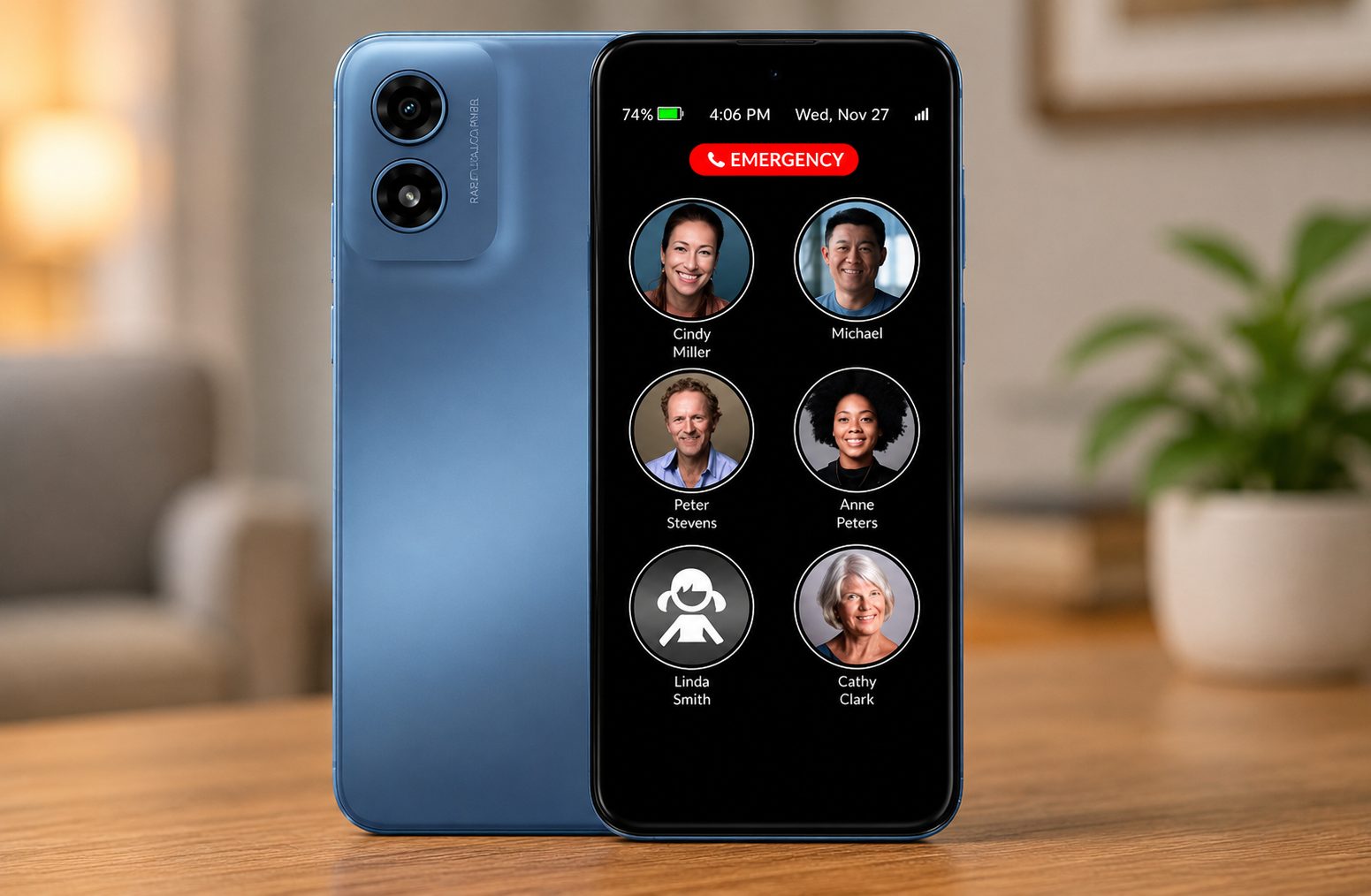
When searching for the best cell phone for dementia patients, this device always pops up among the top results.
It was specially created for use by those with cognitive disabilities.
Main features:
- Lacks confusing applications
- Big photo contacts
- Video calling capability
- Remote caregiver management
- Automatic answering system
- GPS location tracker
- Simple homepage
With remote management of contacts and settings, caregivers don’t need to involve the elderly person in using complicated menus.
As such, it is one of the best choices for moderate dementia.
2. Jitterbug Smart4
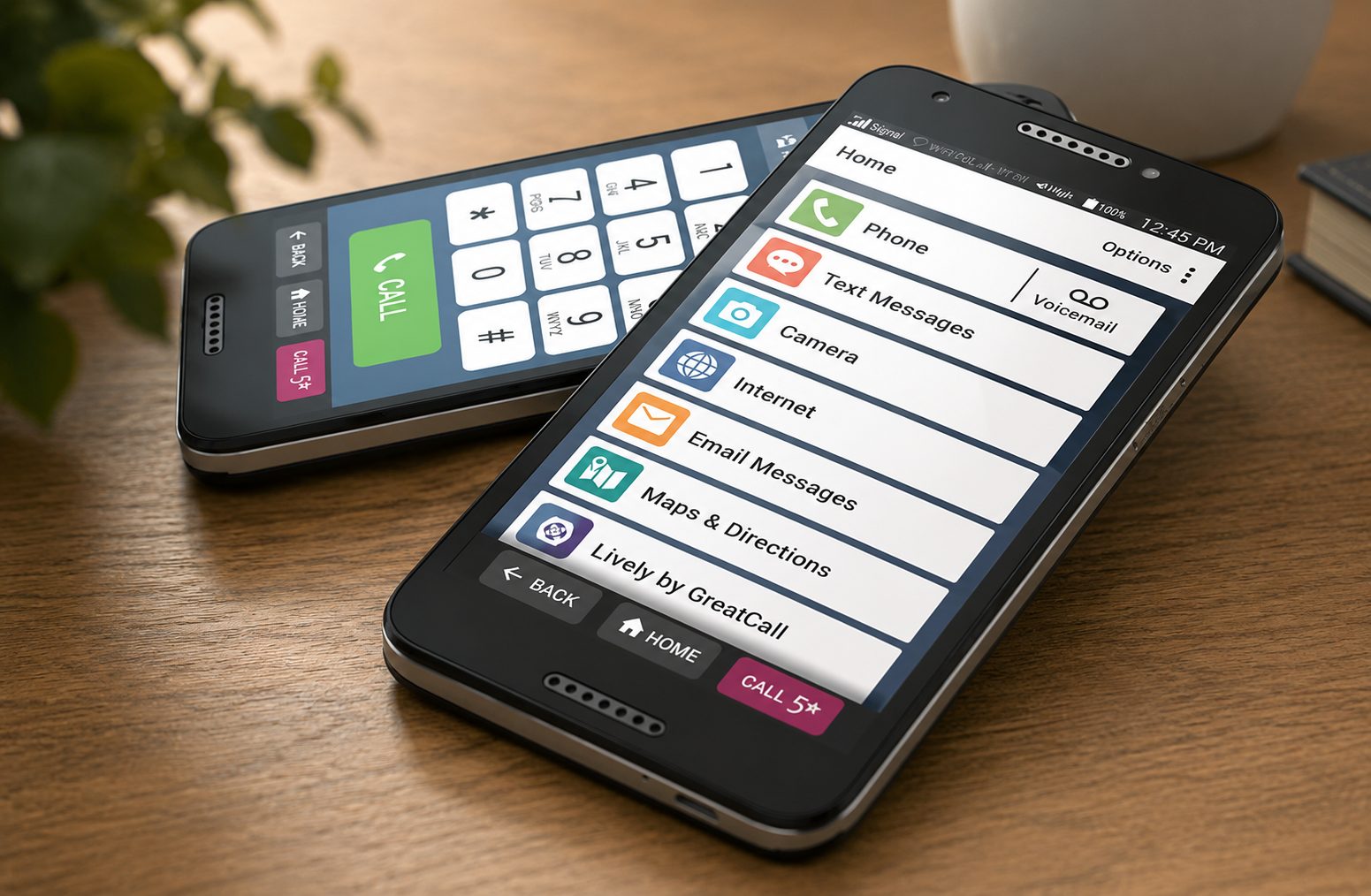
The Jitterbug Smart4 is a perfect combination of a smartphone and simplicity.
It offers:
- Large icons
- Voice typing
- Video chatting
- Emergency services
- Medication reminder
- Health and safety applications
Its interface is noticeably simpler than that of the average Android phone.
3. Jitterbug Flip2
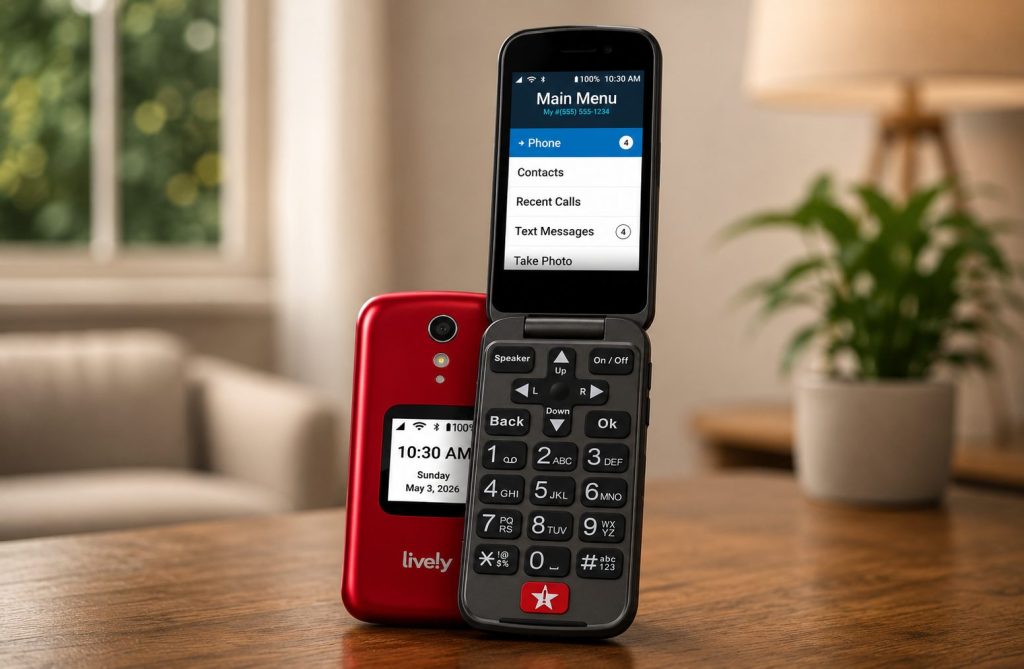
There are also seniors who just like buttons.
The Jitterbug Flip2 has:
- Big keypad
- Bright screen
- Louder speaker
- Voice dialing feature
- Emergency button
- Simple menus
It is still one of the easiest smartphones to use by seniors.
4. Apple iPhone With Assistive Settings
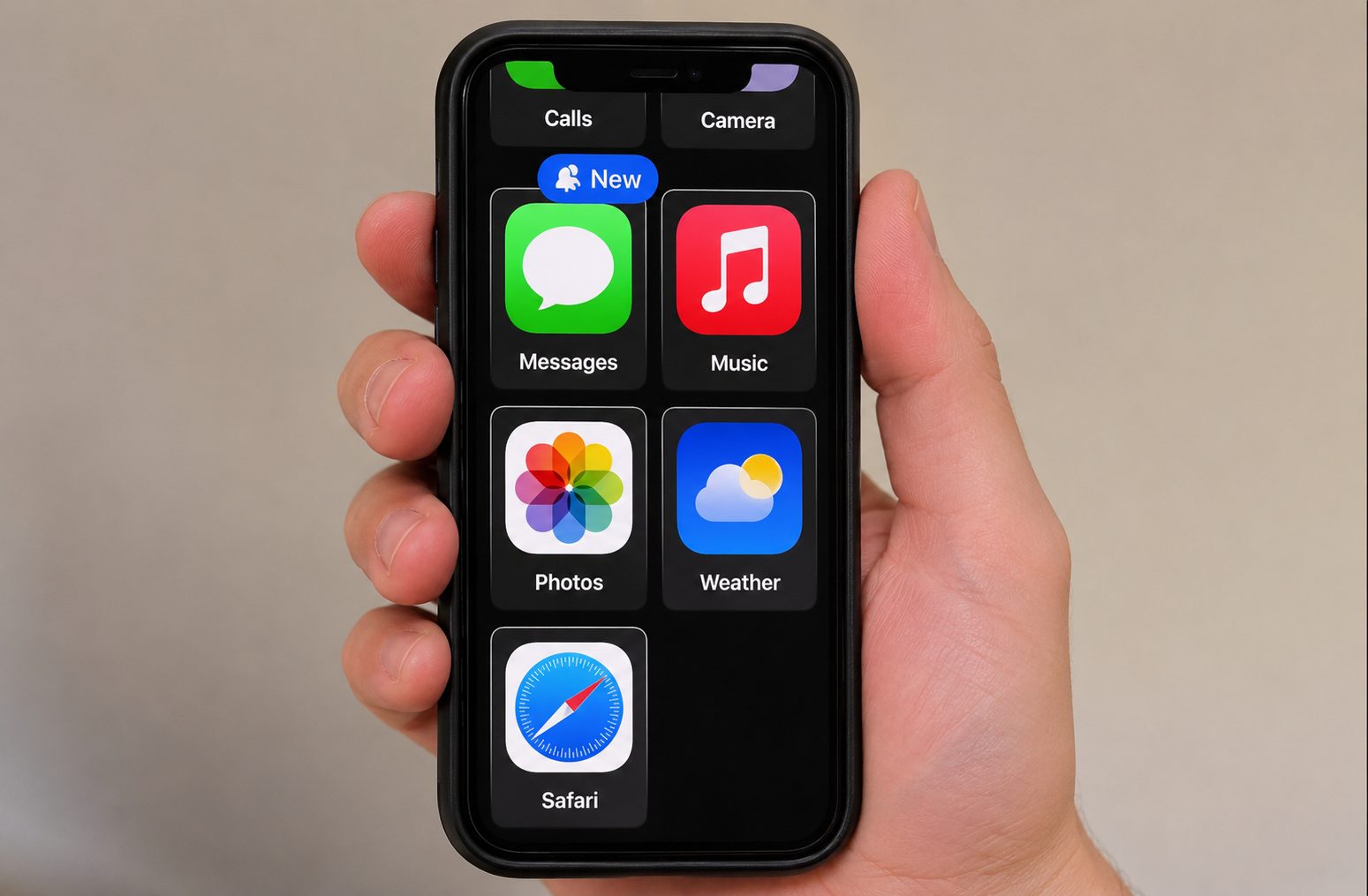
The iPhone might appear to be an odd choice.
But when set up properly, it becomes a dementia-friendly phone.
Useful settings are:
- Larger text
- Guided Access
- Emergency SOS feature
- Medical ID card
- Live captions
- Voice control
- Siri support
- Sharing location
This option is great for those seniors who are already used to Apple products.
5. Samsung Galaxy With Easy Mode
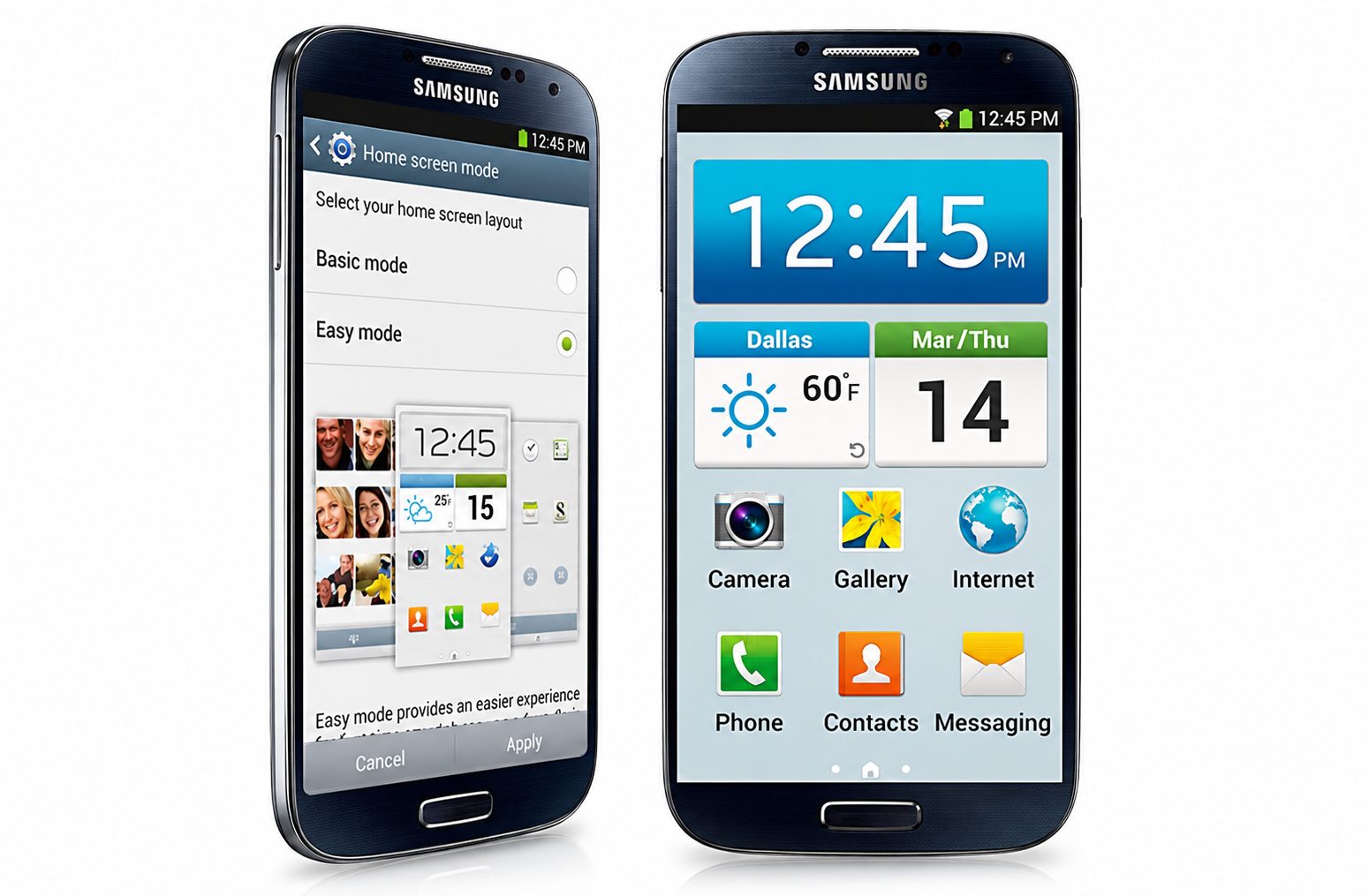
Easy Mode from Samsung makes using Android much easier.
Features include:
- Big icons
- Bigger keyboard
- Contrast screen
- Louder sound
- Emergency contacts
- Google Assistant
One can also use reminder applications and safety tools.
6. Nokia 2780 Flip
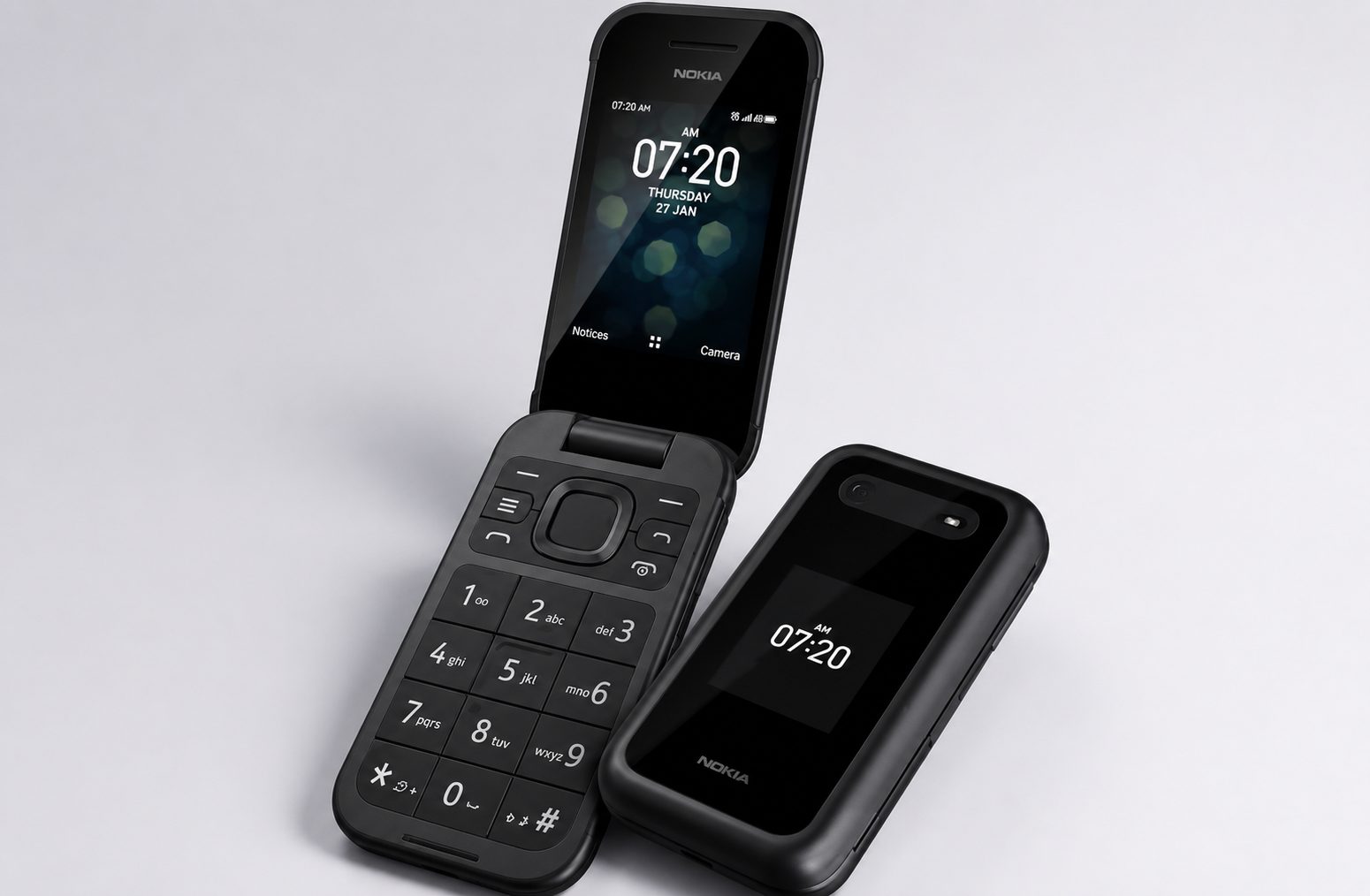
For those seniors who require basic communication only, the Nokia 2780 Flip provides:
- Keypad
- Big buttons
- Long battery life
- Easy-to-use interface
- High-quality calls
The user-friendliness of this phone appeals to many elderly people.
Features Caregivers Should Prioritize
It should serve not just the senior but also the caregiver.
Think about a device that allows:
- Remote management of contacts
- Tracking of locations
- Sending emergency notifications
- Setting medication reminders
- Syncing with calendar apps
- Blocking spam calls
- Automatic updating of software
This will lessen caregiver burden while increasing senior safety.
The Role of Voice Assistants
Voice technology has emerged as one of the most useful tools in caring for people with dementia.
Instead of using menu options, seniors only have to speak.
For instance:
- “Call my daughter.”
- “What is the date today?”
- “Tell me to take my medication.”
- “What appointments do I have today?”
The voice assistant minimizes dependency on touchscreen interfaces.
Why Large Buttons Still Matter
Touchscreens dominate today’s market. However, mechanical buttons are still more advantageous.
Buttons afford:
- Improved tactile feedback
- Less chance of accidental touches
- More convenient dialing
- Greater assurance
Mechanical control becomes the preferred way for senior citizens with arthritis, tremors, or weak hands.
Can Smartphones Slow Cognitive Decline?
A smartphone cannot stop dementia.
Nevertheless, an appropriate technological solution can promote cognitive well-being through:
- Maintaining social contacts
- Conversations
- Organized calendar
- Taking medications on time
- Brain exercise
- Independence
Consistent communication with the family minimizes the risk of loneliness.
Setting Up a Dementia-Friendly Phone
Even the best phones for elderly people need proper configuration.
Before giving the phone to your parent:
Remove unnecessary apps
Get rid of or hide apps that won’t ever be used. Extra apps mean extra icons and confusion.
Increase font size
Large fonts reduce eyestrain and improve usability.
Enable emergency contacts
Caregivers should be reachable with just a couple of clicks. Streamline the home screen
Leave only the necessary apps like:
- Phone
- Text Messages
- Camera
- Photos
- Video calls
All other apps can be hidden away.
Turn on automatic updates
Maintenance will be minimal, and security will be up to date.
Use recognizable contact photos
Familiar faces are easier to identify than names.
Disable unnecessary notifications
Too many notifications are distracting.
Turning off unnecessary notifications calms down the phone.
Mistakes Families Often Make
Picking the wrong phone turns out to be fairly frequent.
Don’t make these mistakes.
Buying Based on Price Alone
The most affordable phone is not necessarily the one that is easiest to use.
A phone that costs slightly more but is designed for people suffering from dementia can prevent a lot of frustration.
Ignoring the Stage of Dementia
Someone who has only a little cognitive impairment requires a different type of phone than an individual with advanced Alzheimer’s disease.
Get a phone that will meet their present needs as well as take into account the possible progression of the disease.
Leaving Default Settings
By default, all phones are suitable for everyone except seniors.
It takes only twenty minutes to adjust the phone properly for use.
Forgetting Caregiver Features
Most families tend to concentrate only on the seniors themselves.
Do not forget that the ability of caregivers to use some options provided by the phone is just as significant.
Choosing Too Many Features
The more functions a phone has, the less user-friendly it becomes.
Thus, the best option is the phone that is the simplest.
How the Right Phone Improves Quality of Life
These benefits go way beyond just calling people.
With a good design for an Alzheimer’s phone, seniors will be able to:
- Connect with family members
- Avoid feeling lonely
- Boost their self-confidence
- React in case of an emergency situation
- Stick to their daily routine
- Remain independent for longer
- Relieve caregivers from worry
Technology does not make up for caring treatment.
However, if used in the right way, it can improve communication and enhance the dignity of seniors and their families alike.
Final Thoughts
Finding the perfect phones for the elderly with dementia is not necessarily about getting the latest product or the one with the largest range of functions. In order to find the best option, it is important to select the device that corresponds to the current state of a patient and makes communication easy and secure.
No matter whether you decide to buy a special memory phone, dementia phone, Alzheimer’s phone, or simply configure an accessible smartphone for a patient with the necessary options, your aim will be to help a person communicate without any stress.
The perfect phone should have the following characteristics: a big display, clear navigation, good audio, assistance in case of an emergency, photo contacts, GPS tracking, and a long-lasting battery. First of all, remember that the choice should be made individually, considering the peculiarities of the patient’s mental abilities.
Of course, a phone cannot stop the development of dementia, but it can minimize misunderstanding, help the elderly to feel independent, closer to their families, and give priceless peace of mind.